Accepting beta sellers
Your booth, elevated.
Buyers scan the QR code on your table and browse your entire inventory in their phone's browser.
During beta, every vendor gets their account built by the Slab team.
Accepting beta sellers
Buyers scan the QR code on your table and browse your entire inventory in their phone's browser.
During beta, every vendor gets their account built by the Slab team.
6 steps
The premium booth experience.
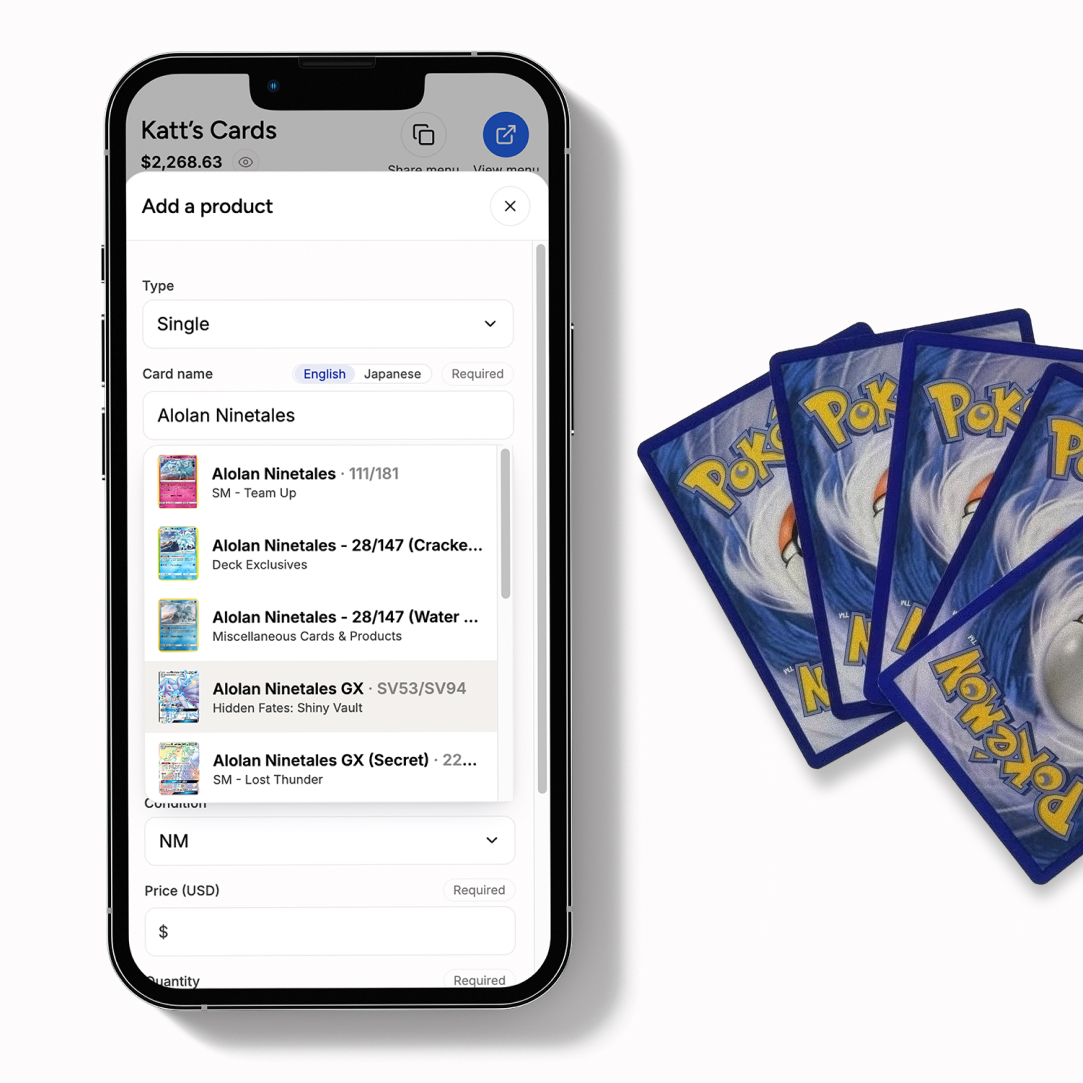
Search the catalogue and find your product. Any set, rarity or artwork. Includes singles, sealed and graded cards in both English and Japanese.
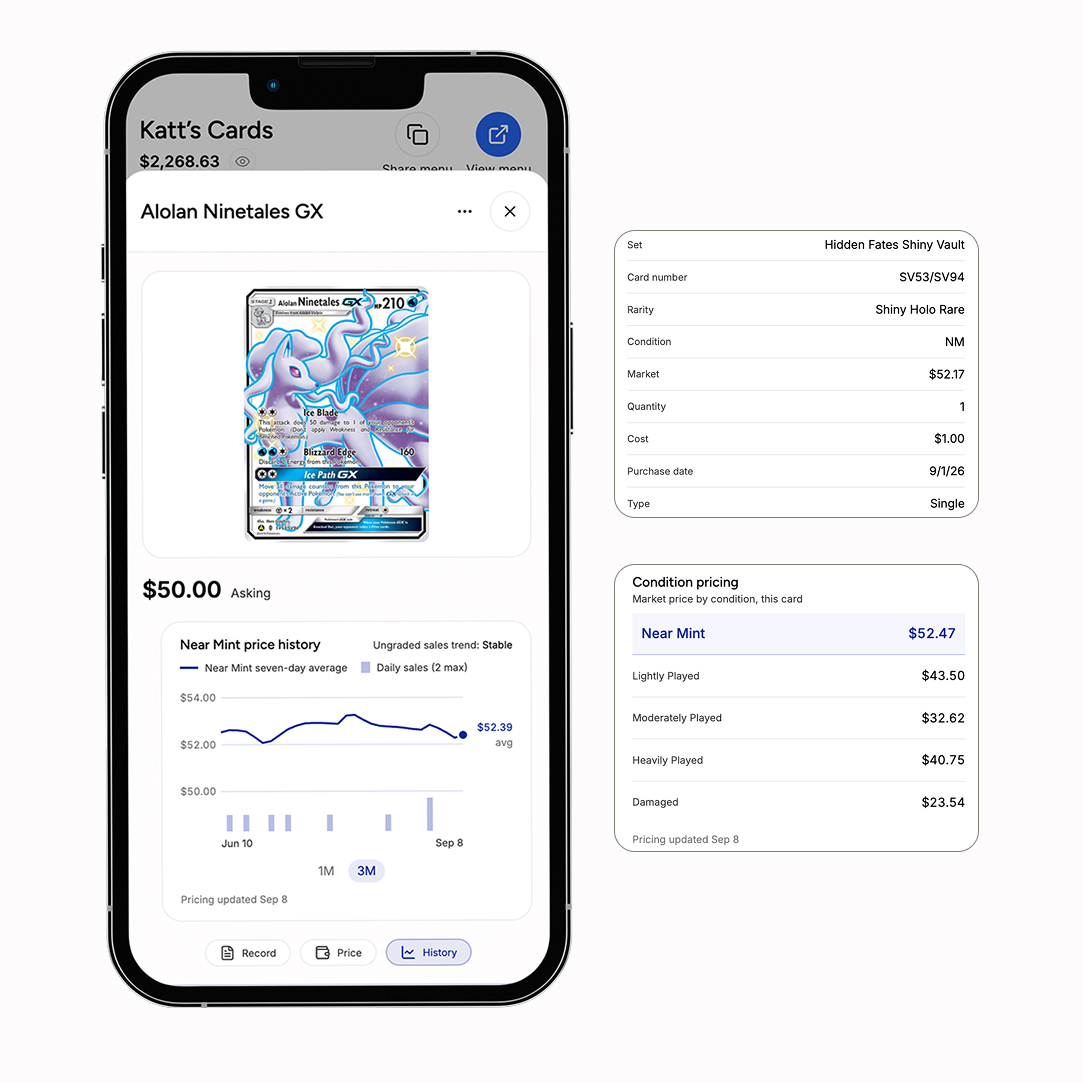
Set your asking price. Market prices come from TCGplayer and eBay sold, so you can price against what cards are actually moving for.
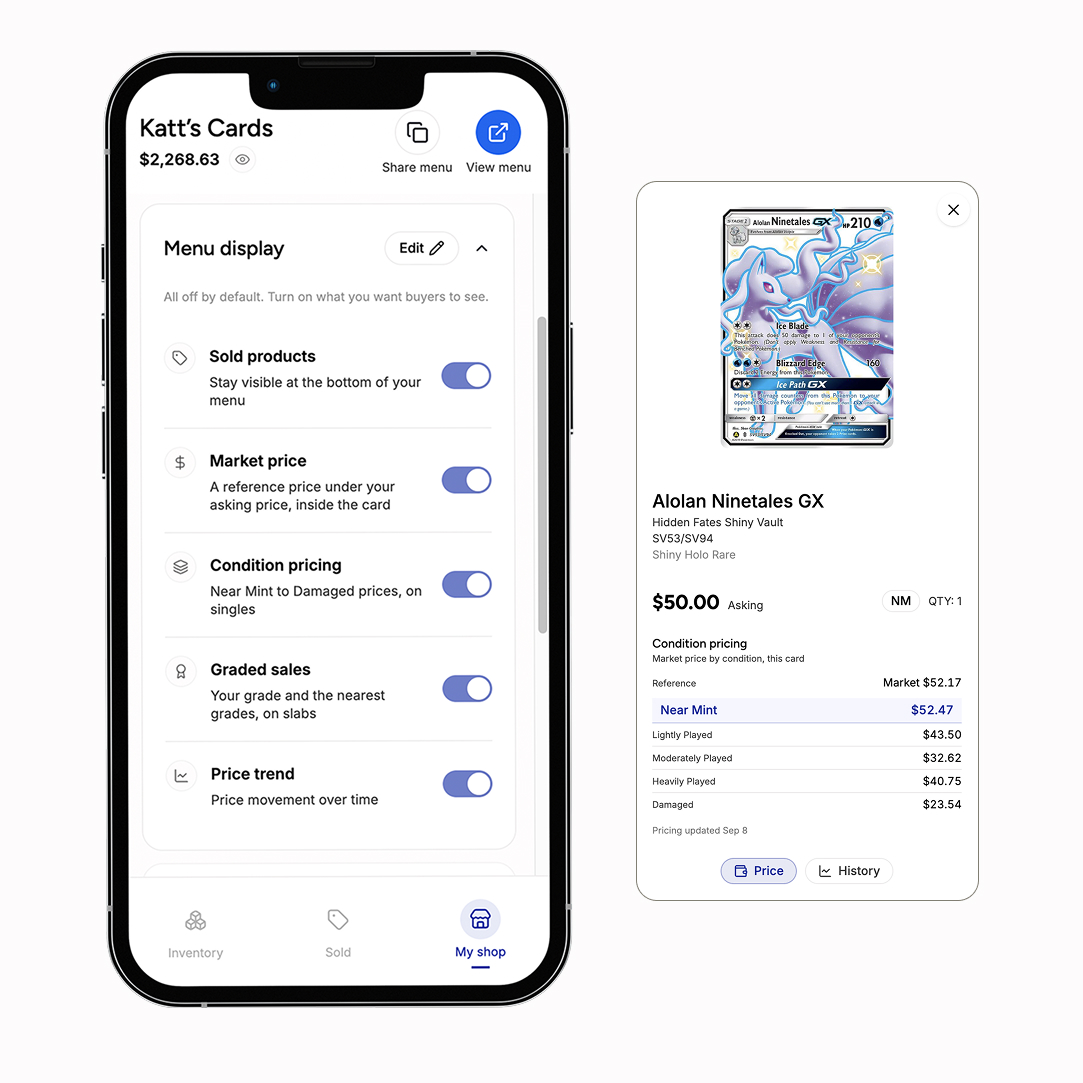
Full customization of your shop and product details, and which pricing buyers see.
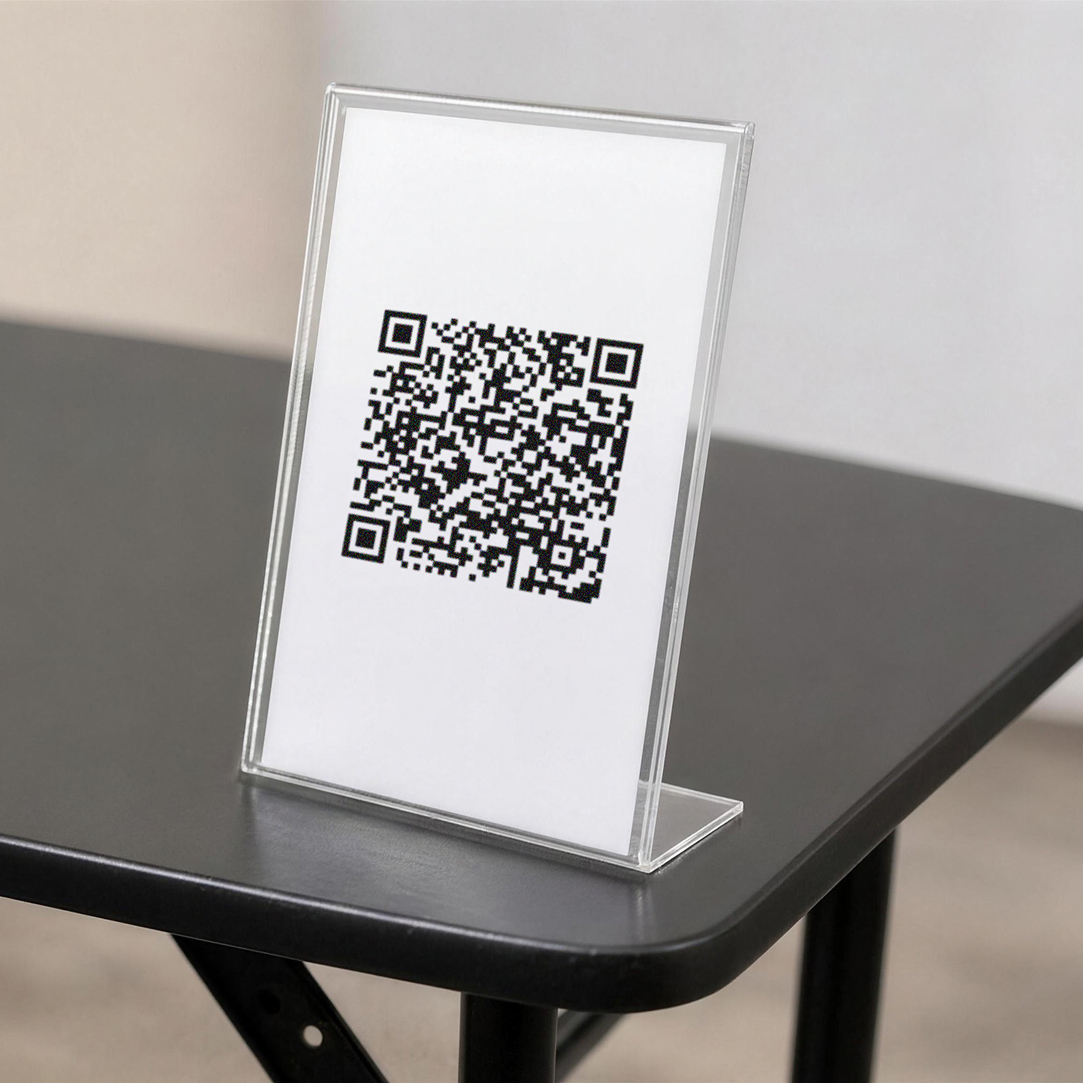
Put it on your table and leave it there. Change your shop name, your URL, your prices, anything, and the printed code still works.
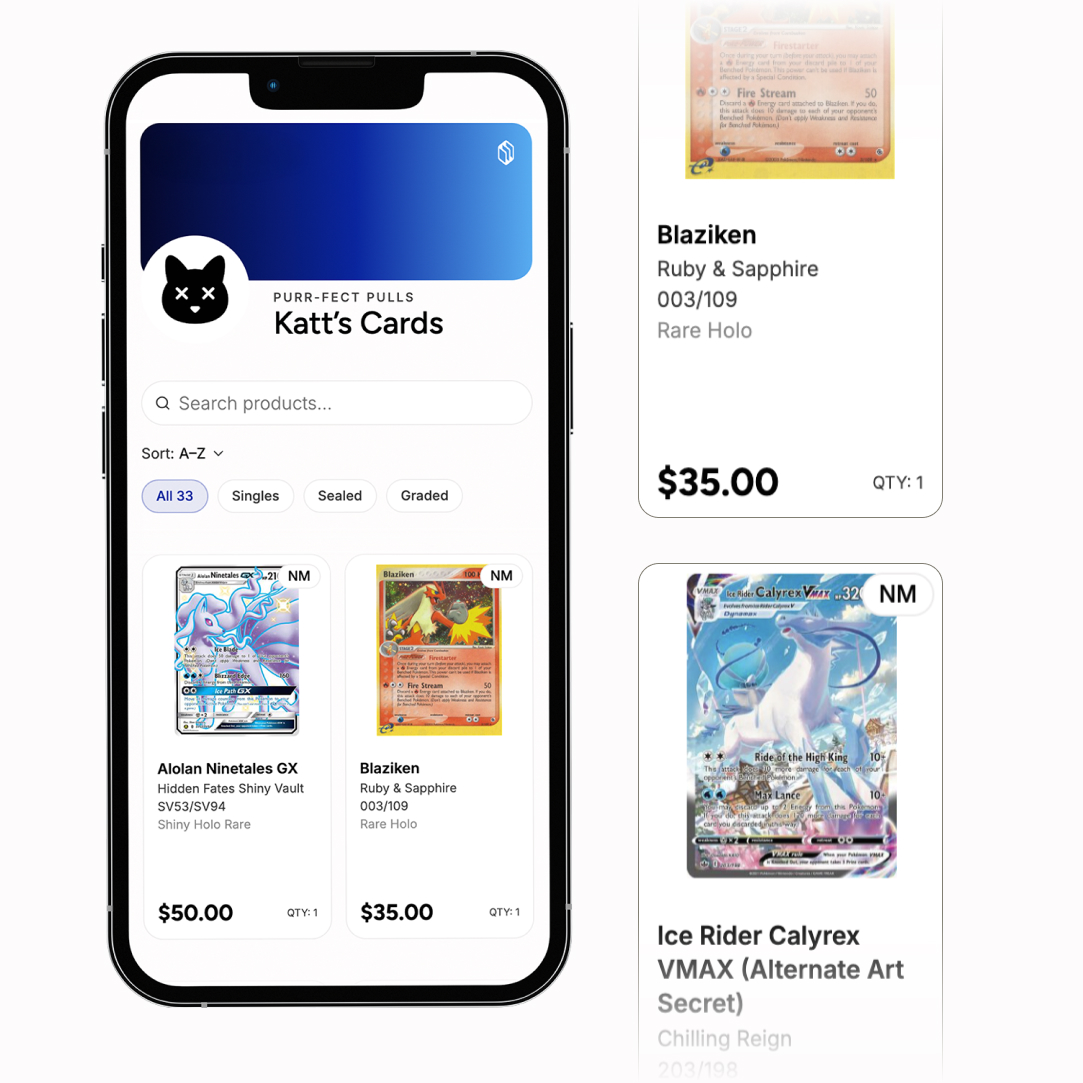
Your whole case on their phone, searchable, with no app and no account.
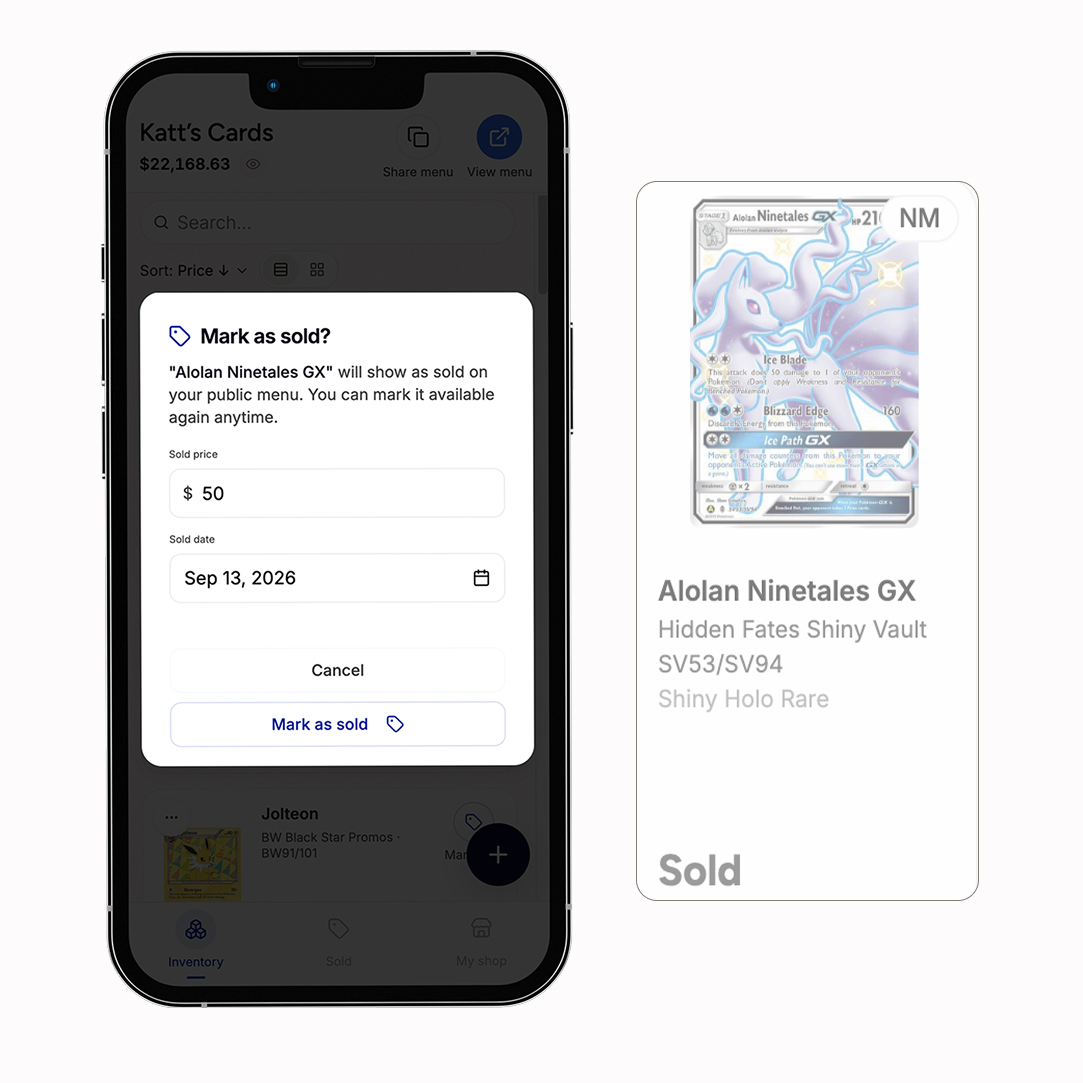
Mark sold from your phone and every open menu updates in real time.
No. Buyers scan your QR with their phone camera and your menu opens in the browser. No app, no account.
Request access and we'll reach out. During beta, we can build your shop, up to 50 cards, or you can add them yourself. Then you print one QR and you're live.
Yes. Update anytime and buyers see the current price. Your QR never changes.
Mark it sold on your phone and it updates on every buyer's screen.
Yes. Only you can edit your listings. Buyers can only view them. Your data is stored securely and your account is protected by email sign-in.
TCGplayer for singles and sealed, eBay sold listings for graded. You choose whether buyers see any of it.
Yes. The catalogue covers English and Japanese, chosen as you add it.
Slab is in beta and free for early vendors, who help shape it. We'll always be upfront about pricing as it evolves.
No worries. Any unique products that don't appear in our search engine can be manually uploaded.